
Arceus X is currently considered one of the best Roblox executors. Arceus X is a unique tool of its kind because it has AI integrated into it, which makes running scripts more seamless, powerful, and user-friendly than ever before.
At the moment, Arceus X is available for Android, iOS, and VNG devices. However, there is no official information yet about the development of Windows or macOS versions. As soon as these versions are announced, we will make sure to inform you.
In 2025, the SPDM team divided Arceus X into two new and more advanced versions: Arceus X NEO and Arceus X V5.
As the official website, we understand that many users may be hearing the name Arceus X for the first time, and then seeing NEO and V5 can be confusing. Don’t worry. On this official website, we will provide complete details and step-by-step guides.
These guides will include how to download, install, and use both Arceus X NEO and Arceus X V5, along with a clear comparison explaining the differences between the two versions.
So, stay connected with us for the latest updates and detailed tutorials.
What is Arceus X?

Developed by SPDMTEAM, Arceus X is the oldest Roblox script executor. Arceus X offers a completely new user experience with a modern, animated interface that feels smooth and easy to use. Everything is designed to look clean and work fast, making it friendly for both beginners and advanced users.
With smart AI features, Arceus X helps users write, improve, and run scripts more easily than ever before. This powerful technology is available across Arceus X versions, including NEO and V5, making scripting simpler and smarter.
Arceus X is built for high performance on all devices, even low-end ones. Both Arceus X NEO and Arceus X V5 focus on speed, stability, and innovation to deliver the best executor experience.
You can find plenty of Roblox executors for mobile devices and iPhones, but Arceus has gained more popularity due to its updates and version improvements.
Screenshot of Arceus X NEO Interface – Latest
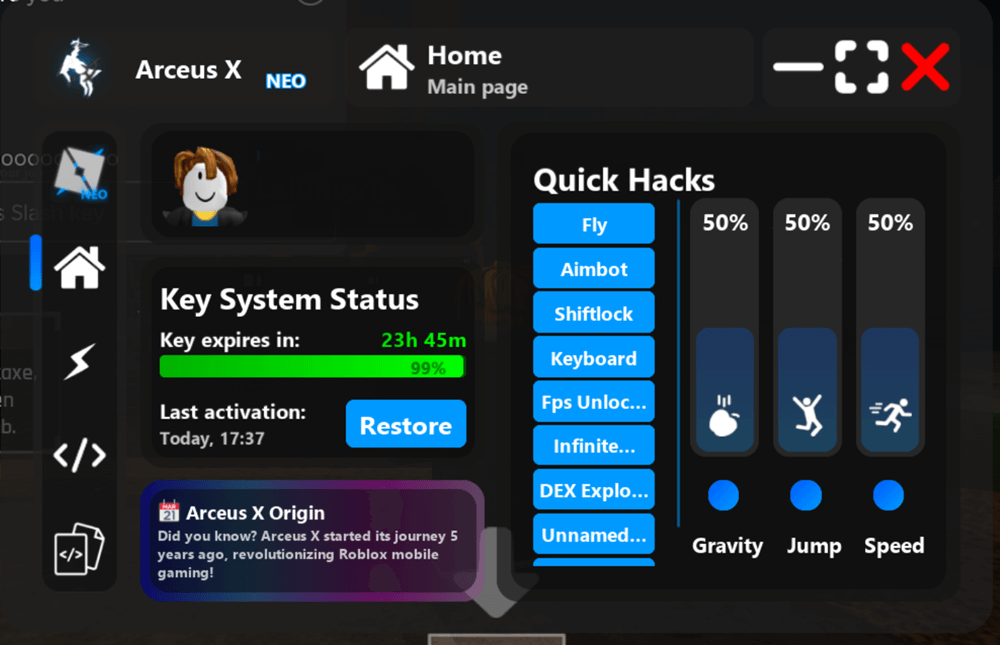
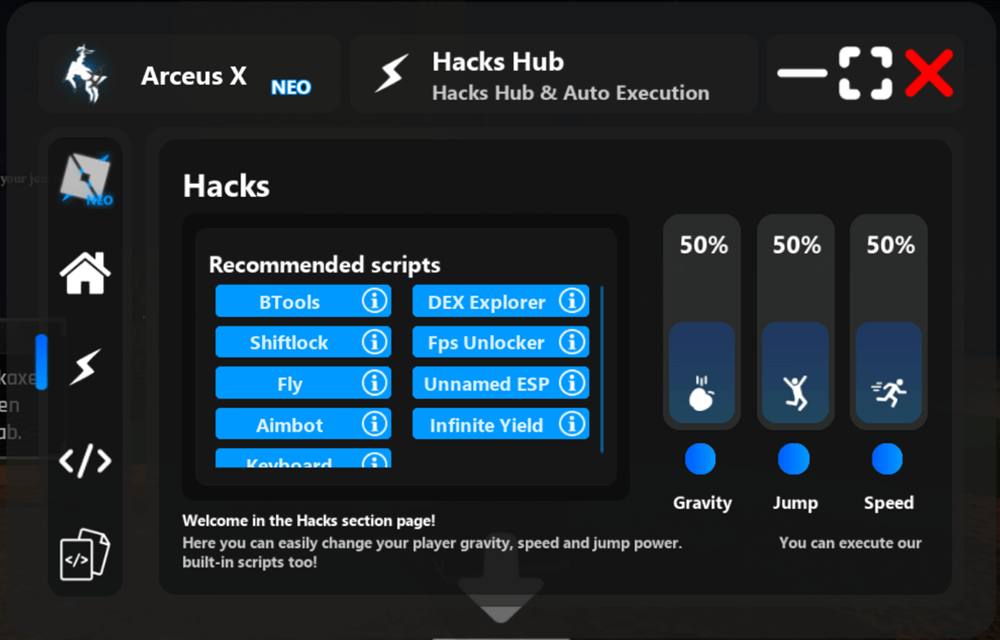
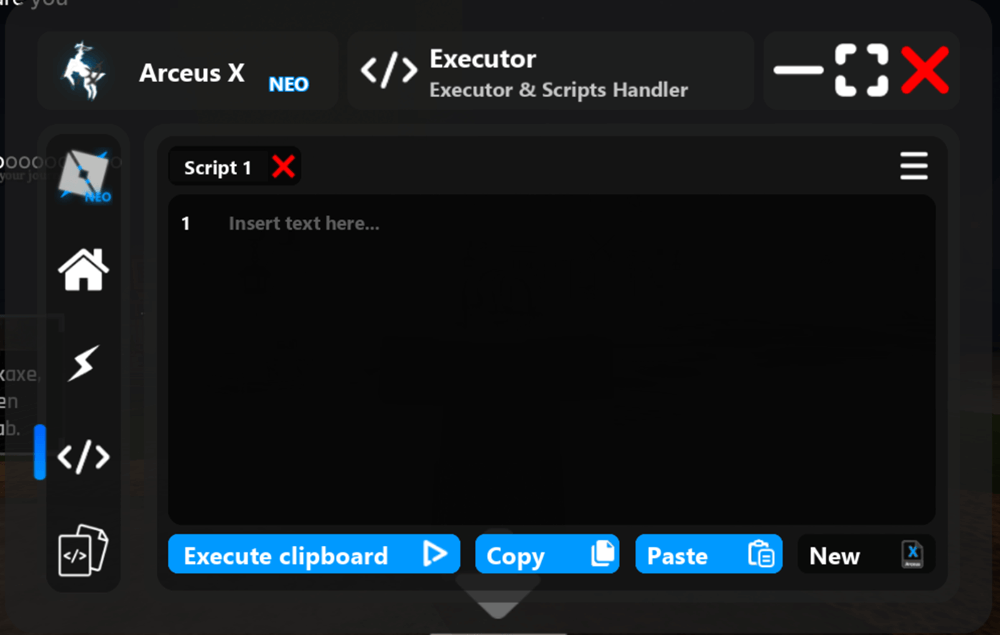
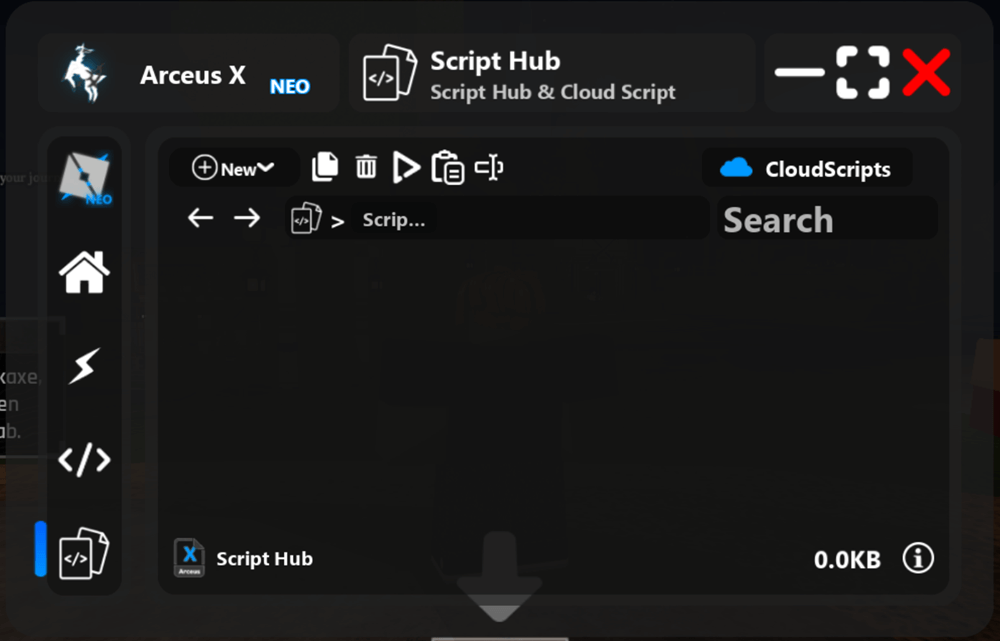
What is Arceus X NEO v2.06?
Arceus X NEO is a free, lightweight, and safe Roblox executor made for beginners who want to start scripting without risk. It is easy to download on Android mobiles and iPhone devices, simple to use, and works smoothly on most devices, even low-end ones.
NEO offers a clean and minimal UI, fast startup, and secure-by-default execution to help new users run scripts safely. There is no learning curve, no cost, and no pressure—just install, try scripts, and learn at your own pace.
With community-powered support, regular updates, and a stable workflow, Arceus X NEO is perfect for first-time users. You can stay free forever or upgrade to Arceus X V5 anytime when you need more power. You can download Arceus X NEO’s latest version in APK, VNG, and iOS file formats
What is Arceus X V5 v1.3.2?
Arceus X V5 beta was released on June 25, 2025, and was only available for content creators. Now the V5 version is available for everyone. Arceus X V5 is a new AI-powered Roblox executor built for advanced users who want speed, stability, and smart scripting. It delivers a clean, modern experience with fast execution, strong security, and easy Arceus X V5 download access.
With Arceus Intelligence (Arcy), V5 can help write, fix, auto-complete, and explain scripts in real time. Its hyper-optimized engine ensures smooth performance, wide script compatibility, and priority updates after Roblox changes.
Designed for power and trust, Arceus X V5 features a polished animated UI, sandboxed execution, and a hardened core. It is the recommended version for users who want the best performance, AI features, and a premium executor workflow.
Arceus X Neo Vs V5 – Which version is better?
Arceus X NEO is the free version and is best for beginners. You can use it by watching ads, so there is no need to buy a key. It is lightweight, safe by default, and easy to understand, making it perfect for users who are new to Roblox scripting or just want to try basic scripts without risk.
Arceus X V5 is the paid and recommended version for advanced users. It requires a paid key, but in return, you get AI-powered features (Arceus Intelligence), better script compatibility, faster execution, and priority updates after Roblox patches. V5 is designed for users who script regularly and want the best performance.
Which Version should you download?
If you are a beginner, casual player, or just testing executors, start with Arceus X NEO. If you already know scripting, want AI help, faster updates, and a premium experience, then Arceus X V5 is the better choice. You can always start free with NEO and upgrade to V5 later when you need more power.
How to Download & Install Arceus X Executor (NEO & V5) for Android, VNG & iOS
Arceus X executor is available in two main versions – NEO and V5. Arceus X NEO is a multi-platform tool available to download on Android (APK), VNG, and iOS (IPA) platforms. Whereas Arceus X V5 supports Android (APK) and VNG
In this guide, we’ll show you how to safely download and install Arceus X on your device, step by step.
Step 1. First, choose which version you want to download and for which device, i.e., APK, VNG, or IPA.
Step 2. Click the Download button above to get the latest version on your device.
Step 3. If you download NEO APK or the VNG version, the installation process is the same. (Except APK version is globally available, but the VNG version is specific to Vietnamese users.)
Step 4. Once you download the official file, make sure you “allow installation from unknown sources” in your mobile’s Settings
Step 5. Tap the APK or VNG file to begin the installation process and allow any permissions if required.
Step 6. After installation, open Arceus X and enter your free or paid key to unlock features.
Step 7. Play any Roblox game and start with a simple Roblox script to ensure it works properly
How to Download & Install Arceus X On iOS (iPhone/iPad)
The steps to install Arceus X on IOS are different, so carefully follow the steps below to get started with:
Here’s how to install Arceus X on iPhone and iPad:
Step 1. First, click the Download Button above that will take you to our iOS download page. Here, download the latest Arceus X IPA file.
Step 2. Then, download and install either eSign or Scarlet. This app is necessary to install IPA files on an iPhone or iPad.
Step 3. If you have downloaded the eSign app to install Arceus X on iOS, then open it.
Step 4. Now, go to the File List section and tap on the three dots located at the top right corner of the screen.
Step 5. Now, select the IMPORT option from the drop-down menu and select the Arceus X IPA file and import it.
Step 6. Once imported, you need a valid Signature on it.
Step 7. Once done, tap on the Install button.
Step 8. Once installed, launch Arceus X on your iOS device and log in.
Step 9. Now, open the game you want to exploit and enjoy the game.
Note: Currently, there is no Arceus X Direct Install method available officially.
How to Get Arceus X Key – Free or Paid for NEO & V5
Just like any other Roblox executor, Arceus X Key is required if you want to use the executor’s full features. Whether you are using the NEO version or V5, the key is an essential part.
The Arceus key system exists to ensure users activate the executor before running scripts. Furthermore, it’s a standard way to earn money, which is used to maintain the servers and development of this tool.
You can either get a free temporary key by completing ads/verification steps or purchase a paid key to avoid repeating the process every day.
Follow these steps to get the key:
Step 1. Download the version you want (NEO or V5) from the official source.
Step 2. Install the APK (Android), VNG, or IPA (iOS) on your device and launch Arceus X.
Step 3. Once installed and opened, the key system will prompt you to get a key before you can use the executor.
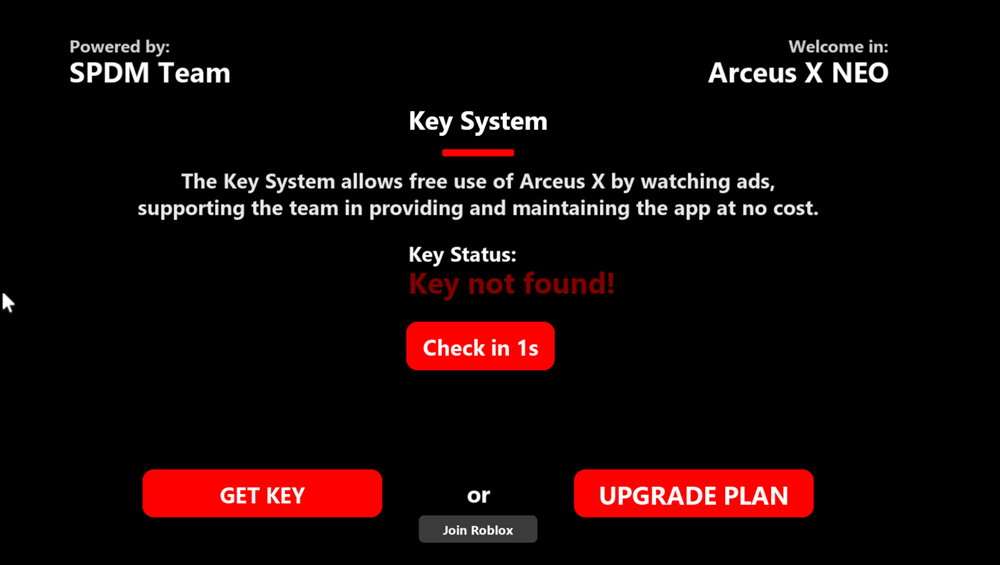
Step 4. Tap or click “Get Key” to start the process. This will automatically copy a verification link to your device’s clipboard.
Step 5. Now, open your web browser and paste the copied link. You’ll be redirected to the verification page.
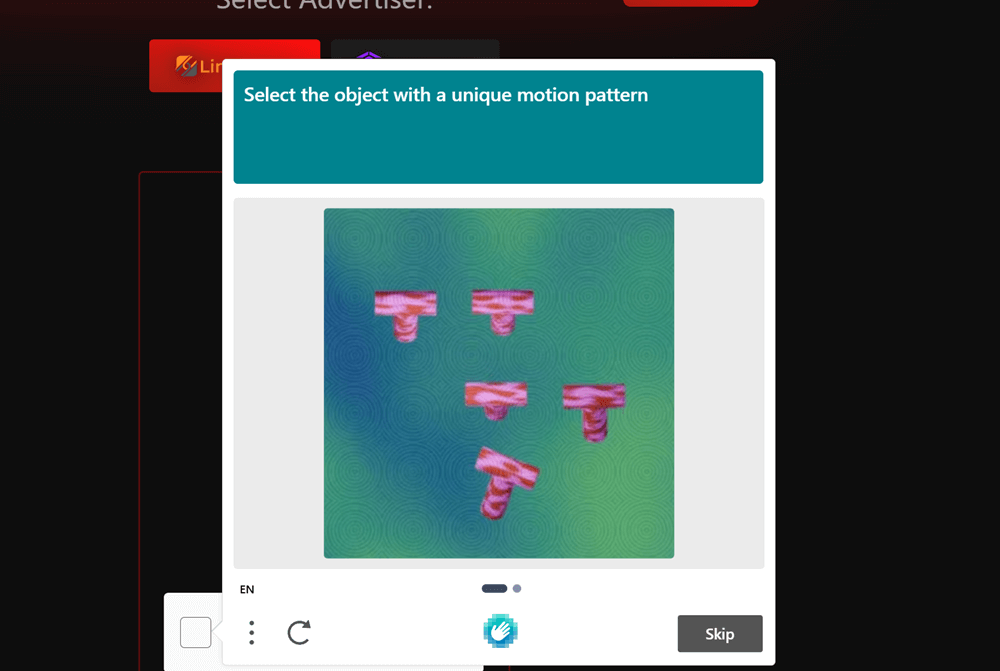
Step 6. Here, complete all the required steps. Once you finish all the key checkpoints, you will get a unique key code.


Step 7. Go back to the Arceus X Executor and tap the Check Key button. It will show you the Key Found message.
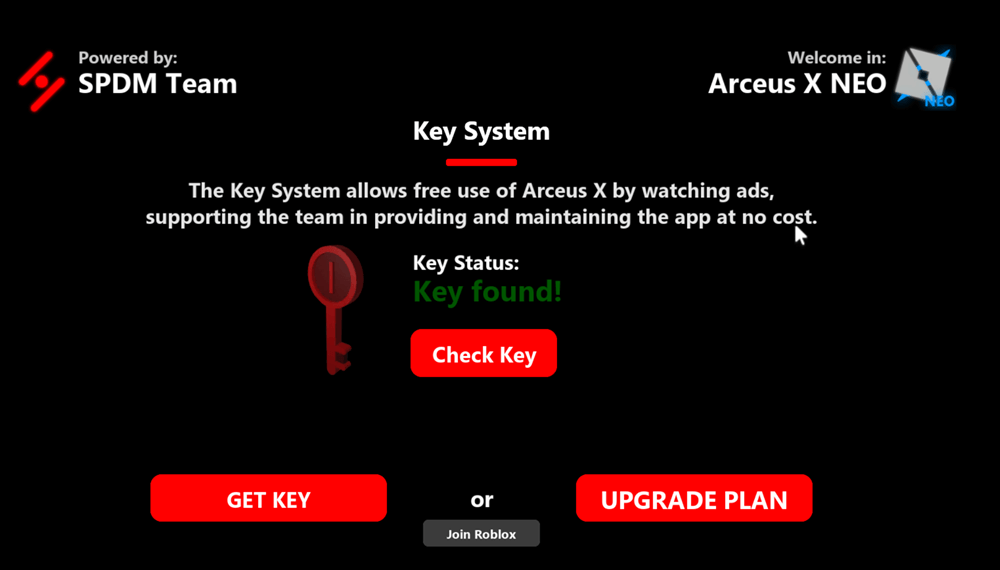
If you enter the key correctly, you’ll see a confirmation on screen that the key is active. You can now launch the Arceus X executor and start running scripts in Roblox.
How to Install Arceus X Executor on Windows PC?
Currently, there is no official Arceus X PC version. The only option you have is to use Android emulators like BlueStacks or MuMuPlayer.
Step 1. Download and install any Android emulator on your PC.
Step 2. Download Arceus X NEO or the V5 version from our official website.
Step 3. Click the ‘Import From Windows’ option or directly drag and drop the APK file to initiate the installation.
Step 4. Once installed, open Arceus X NEO and enjoy Roblox games on your PC.
Delta Executor Features
In 2026, the internet is filled with tons of Roblox executors, but very few of them perform and are free.
Arceus X exploit is one of the safest Roblox executors right now. Delta Executor is a free Roblox exploit, but it does not mean that it is not good for your device.
Here are some features that you will get when you download and install Delta Executor:
User-Friendly Interface
Arceus X has a clean and user-friendly interface that is easy to understand for all users. It allows beginners to execute scripts smoothly without confusion or technical complexity.
Lightning-Fast & Stable Performance
Arceus X delivers lightning-fast script execution with stable and reliable performance. It minimizes lag, crashes, and errors even while running advanced Roblox scripts.
24/7 Support
Arceus X Discord provides 24/7 support to help users resolve issues at any time. This ensures a smooth experience and quick solutions whenever assistance is needed.
Arceus Script Hub Library
Arceus X includes a built-in script hub with a wide collection of popular Roblox scripts. Users can easily find, load, and run scripts without searching external sources.
Cross-Platform Compatibility
Arceus X is fully compatible with Android, iOS, and PC platforms. This allows users to enjoy the same scripting experience across different devices.
Regular Updates
Arceus X receives regular updates to stay compatible with the latest Roblox patches. These updates improve security, performance, and overall executor stability.
How to Run Roblox Scripts Using Arceus X Executor?
In case you have never used the Arceus X executor on Mobile or iOS devices, then don’t worry. Here, we have explained a step-by-step guide explaining how to execute Roblox scripts using this Roblox exploit.
Here’s how to execute scripts using the Arceus exploit:
Step 1. First, download and install Arceus X Executor by clicking on the above Download Now button if you have not already.
Step 2. Once installed, launch it on your PC, Mobile, or iPhone.
Step 3. Once launched, search for your favourite game and then click on the Play button.
Step 4. Once the game is launched, tap on the Arceus X executor’s icon.
Step 5. When you do so, the executor’s window will appear on the screen.
Step 6. Now, click on the Arceus X GUI.
Step 7. Now, click on the ‘Controller’ icon on the right side.
Step 8. Now, paste the game script and click on the Execute button below.
Step 9. When you do so, you will have the script executed.
That’s it.
Frequently Asked Questions
Is Arceus X Neo Safe?
Arceus X Executor is 100%. The SPDM Team devs have worked so hard to make to safe and secure for players as well as Roblox. One thing you should keep in mind is that always download Arceus X from a trusted site as arceusxteam.com.
Can my account get banned for using exploits?
Yes, running exploits aggressively that disturb the gameplay of other players can end up ban. That ban will be a game-specific don’t worry, your entire account will remain safe. Nevertheless, we strongly recommend using an alternate account instead of your main one for these activities.
Do all scripts work with Arceus X?
No. Arceus X supports nearly 99% of all scripts thanks to its custom module and UNC Support. You might see other Roblox executors to claim 100% support, but in reality, they can only run about 85% scripts.
How can I find scripts for exploits?
If you are looking for a universal script or something game-specific, then Arceus X has a dedicated script hub library. Just search for our required scripts and execute them to make fun videos.
How to download Arceus X APK?
To download Arceus X APK, you can click the download button above to get the updated official file of the required version.
Are exploits allowed?
It depends on what you mean. exploits are technically legal, but as mentioned before, there is a risk that might ban your account, even though no such cases have been reported since late 2020.
How to update Arceus X Executor?
To update the Arceus X exploit, you have to uninstall your previous version from your device. Once uninstalled, visit its official site (arceusxteam.com) and download and install the latest version.